

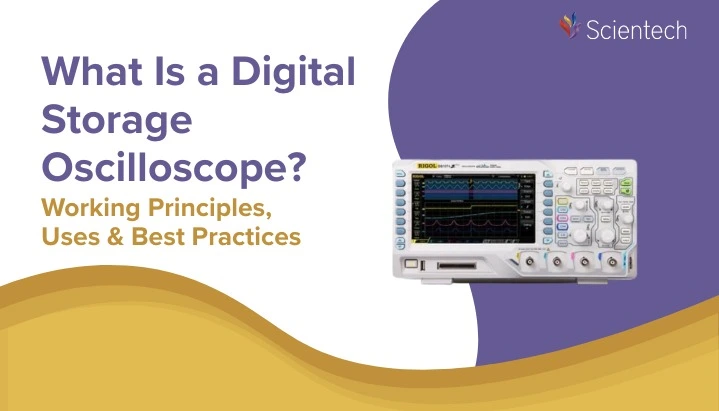
One of the most significant instruments that will be encountered by an engineering student in the electronics laboratory is a Digital Storage Oscilloscope (DSO). The DSO measures any invisible voltages, on embedded systems, in power electronics waveforms, or signal-integrity validation, and displays them as any visible waveforms, which are subject to analysis. This tutorial explains what a Digital Storage Oscilloscope is, its operation, which characteristics are significant to it, how it may be utilized in practice in a step by step manner in your first time usage, the main pitfalls to avoid, and what you have to consider in choosing the right DSO in your study and lab project.
Digital Storage Oscilloscope (DSO) is not just a display device. It also stores the waveform for later analysis
Instead of processing signals continuously like analog oscilloscopes, a DSO samples and converts them into digital format using an Analog-to-Digital Converter (ADC)
The waveform is represented as a digital value, so the information may be analyzed either on the oscilloscope, or even on a PC that has been connected to the oscilloscope.
It enables the capture and storage of waveforms in digital memory. The device also has an option of digital signal processing the waveform stored in the device. The maximum measurable frequency depends mainly on two factors: the oscilloscope’s bandwidth and its sampling rate. The displayed waveforms on DSOs are bright, well-defined, and refresh very quickly.
What is a Digital Storage Oscilloscope?
Digital Storage Oscilloscope converts incoming analog signals into digital samples and stores them for display and analysis. Unlike in a conventional analog oscilloscope (where the tracing was based on a cathode-ray tube that followed the signal in real-time), a DSO contains an analog-to-digital converter (ADC), memory and a digital display (typically an LCD). High-level features such as math operation and automated measurements, waveform storage, and re-play can be performed through such architecture.
Key capabilities that define a DSO:
- Capture and hold waveforms for inspection.
- Trigger on complex events to isolate specific signal behaviors.
- Perform digital signal processing (e.g., FFTs) on captured data.
- Interface with PCs and storage devices to log and share results.
Why engineering students should care about the Digital Storage Oscilloscope?
Digital Storage Oscilloscope (DSO) is considered to be one of the most important instruments of any electronics or electrical engineering lab. the DSO lets you see what is happening inside your circuit something no textbook can show you
- Visualize time-varying signals (voltage vs time).
- Capture transient events that an analog scope might miss.
- Store and analyze waveforms for reports and project debugging.
- Learn practical measurement techniques that translate directly to industry.
In short, mastering the Digital Storage Oscilloscope amplifies both your understanding and your troubleshooting power.
How a Digital Storage Oscilloscope Works?
Understanding these core building blocks clarifies why certain specifications matter.
- Input and front end
The probe and input attenuator scale the circuit signal to a safe level for the scope. The front end conditions the signal (attenuation, impedance matching) before sampling. - Analog-to-Digital Converter (ADC)
The ADC samples the conditioned signal at discrete time intervals. The sampling rate (samples per second) determines how well the scope captures fast changes. - Memory (memory depth)
Samples are saved in memory so the scope can display long captures or provide high time resolution. Memory depth combined with sampling rate controls total capture time. - Trigger system
The trigger tells the scope when to start capturing. Powerful triggers (edge, pulse width, runt, logic) let you capture rare or complex events. - Processor and display
The captured data is processed (filters, math, measurements) and rendered on the screen. Modern DSOs include menus for measurements, persistence displays, and protocol decoders.
Working Principle of a Digital Storage Oscilloscope
Digital Storage Oscilloscope is a device which converts an electrical signal into numbers and stores the data in a memory and represents the waveform on a screen.
DSO digitizes the signal using high-speed electronics
To understand how a DSO works, let’s break it down step by step.
1. Signal Acquisition (Input Stage)
The input signal (voltage) enters the oscilloscope through the probe.
The front-end circuitry adjusts the signal using:
- Attenuators (to reduce large signals)
- Amplifiers (to boost small signals)
- Impedance matching (usually 1 MΩ)
This ensures the signal is safely within limits before digital processing.
2. Sampling the Signal (ADC Conversion)
Next, the DSO uses a high-speed Analog-to-Digital Converter (ADC) to convert the continuous signal into discrete digital values.
Key terms:
- Sampling Rate – how many samples the DSO takes per second (e.g., 1 GSa/s).
- Resolution – number of bits of the ADC (e.g., 8-bit, 12-bit).
- Nyquist Rule – sampling rate must be at least 2× the highest frequency you want to measure.
This is where the analog waveform becomes digital data.
3. Triggering (Capturing the Right Signal)
The oscilloscope uses a trigger circuit to decide when to start capturing the waveform.
This ensures a stable and repeatable display.
Common trigger modes:
- Edge trigger (most common)
- Pulse width
- Slope trigger
- Video trigger
Without triggering, the waveform would look unstable or shaky.
4. Storing the Data (Memory / Buffer)
Once the signal is digitized, the DSO stores the samples in digital memory.
Why this matters:
- More memory = more waveform detail
- Allows long-duration captures
- Critical for analyzing rare glitches or spikes
This is the “Storage” part of a Digital Storage Oscilloscope.
5. Processing the Data (Digital Signal Processing)
The oscilloscope’s internal processor performs:
- Noise filtering
- FFT (Frequency analysis)
- Auto-measurement (frequency, voltage, duty cycle)
- Math operations (Add, Subtract, Multiply)
This step transforms raw samples into meaningful information.
6. Displaying the Waveform (LCD Output)
Finally, the DSO displays the reconstructed waveform on the screen.
What you see is not the raw signal but a digitally reconstructed waveform created from the stored samples.
Best Digital Storage Oscilloscopes for Engineering Students
Choosing the right digital storage oscilloscope can greatly improve your learning experience, especially if you are working on electronics, embedded systems and communication experiments. Below are two models that are highly recommended by Nvis Technologies that is trusted for its performance, durability and easy-to-use interface for students
Digital Storage Oscilloscope – Nvis 9401
Digital Storage Oscilloscope is an excellent choice for engineering students who need accurate measurements, intuitive controls, and reliable performance for circuit debugging and waveform analysis.
Key Features
- 50 MHz Bandwidth – Ideal for academic and basic R&D applications
- 2 Analog Channels – Perfect for comparing input signals
- 500 MS/s Real-Time Sampling Rate – Ensures precise waveform capture
- 64 kpts Memory Depth – Stores high-resolution waveforms
- Waveform Capture Rate: 5,000 wfms/s – Captures fast-changing signals
- 34 Auto Measurement Types – Time-saving for beginners
- Advanced Triggering:
- Edge
- Pulse Width
- Slope Trigger
- Video Trigger
- Alternating Trigger
- 7-inch WVGA (800 × 480) TFT LCD – Clear and wide display
- Peripheral Interfaces: USB Host, USB Device, EXT Trig, Pass/Fail
- New Autoset Function for quick waveform optimization
Why It’s Great for Students
- Easy to learn and operate
- Covers all essential lab experiments
- Reliable performance for microcontroller, analog, and digital circuit testing
Digital Storage Oscilloscope – Nvis 9403
Digital Storage Oscilloscope is a high-performance yet user-friendly entry-level bench solution, ideal for students who require enhanced bandwidth and professional-grade measurement capabilities.
Product Description
Designed with a simple, easy-to-read front panel, Nvis 9403 allows beginners to quickly grasp the operation of DSO. With 100MHz bandwidth, 1Gsa/s sampling frequency and 2-channel architecture, it has strong performance and is suitable for laboratories, on-site work and high-level experiments.
Key Features
- 100 MHz Bandwidth – Suitable for higher-frequency applications
- 2 Channels with low noise floor
- Wide Vertical Range: 1 mV/div ~ 20 V/div
- 1 GSa/s Real-Time Sampling Rate – High-precision signal acquisition
- 64 kpts Memory Depth – Detailed waveform storage
- 7-inch TFT LCD for clear visualization
- System Software Upgrades via USB – Future-ready
- USB Plug-and-Play Support – Easy waveform export and PC connectivity
- Supports remote control through USB device
Why Students & Labs Prefer It
- Suitable for communication, semiconductors, computers, automotive electronics, industrial systems, and more
- Excellent for R&D, education, and maintenance
- Delivers superior performance while staying beginner-friendly
Important DSO specifications and what they mean
When reading spec sheets, focus on these parameters:
- Bandwidth (MHz/GHz): The maximum frequency the oscilloscope can faithfully display. As a rule of thumb, choose a scope with bandwidth 3–5× higher than the highest signal frequency you plan to measure.
- Sampling rate (S/s): Samples per second per channel. Higher sampling rates capture finer details. Nyquist theorem requires sampling ≥2× the highest frequency, but practical measurement quality improves with much higher rates.
- Memory depth (points): Number of samples the scope stores. More memory allows long-duration captures at high sample rates.
- Rise time: Related to bandwidth; indicates how fast the scope can respond to sudden edges. Useful for digital signal integrity checks.
- Channels: Number of simultaneous inputs (2, 4, etc.). Consider mixed-signal scopes (MSO) for digital logic alongside analog signals.
- Trigger types: Basic (edge) to advanced (pulse width, runt, logic). Advanced triggers help isolate specific faults.
- Vertical resolution (bits): ADC resolution (8-bit, 12-bit, etc.) affects amplitude precision important for small-signal and noise analysis.
- Display and user interface: Large, clear displays and intuitive menus save time in labs.
Types of Digital Storage Oscilloscopes
- Benchtop DSO: Traditional lab instrument with many features, ideal for university labs.
- Handheld/portable DSO: Useful for fieldwork and lab benches when mobility matters.
- PC-based USB oscilloscope: Low cost, uses PC display; good for students on a budget.
- Mixed Signal Oscilloscope (MSO): Combines analog channels with digital logic inputs excellent for embedded systems debugging.
Step-by-step: How to use a Digital Storage Oscilloscope
This walkthrough assumes a benchtop DSO but applies broadly.
1. Safety and setup
- Turn off power to the circuit before connecting probes.
- Use proper grounding techniques; connect the ground clip to circuit ground.
- Set the probe attenuation switch to match the probe (e.g., 10×).
2. Connect the probe
- Attach probe tip and ground clip to the test point and ground reference.
- Keep ground leads short to minimize inductance and ringing.
3. Configure basic controls
- Set initial vertical scale to a coarse value (e.g., 1 V/div).
- Set the timebase (horizontal) to a range that shows a few cycles of the signal.
- Use “Auto” or “Default” to let the scope pick initial settings.
4. Adjust triggering
- Set trigger source to the channel you’re using.
- Choose an edge trigger with the appropriate slope.
- Move the trigger level until the waveform stabilizes on the screen.
5. Refine display and measurements
- Zoom in using horizontal/vertical scales for detail.
- Use persistence or single-shot mode to capture transients.
- Use automatic measurements (frequency, peak-to-peak, RMS) to quantify the signal.
6. Use advanced tools
- Apply FFT to view frequency content.
- Use cursors to measure time intervals and voltage levels precisely.
- Save waveforms to USB or transfer to PC for reports.
Final thoughts and roadmap for students
A Digital Storage Oscilloscope is much more than a laboratory device; it is also a view of the action of actual circuits. As an engineer student you have to spend time learning good measurement manners: how to treat probes, trigger behavior, how to keep your scale on, how to read what you are seeing. The simple (two channels, 100 MHz) comes first, and then emulate more complex features, as they are required by your projects.
Hands-on practice trumps theory: open your lab notebook, pick a simple circuit (LED blinking, RC filter, PWM output), and explore. The DSO will teach you faster than any lecture when you learn to ask the right measurement questions.
Conclusion
Digital storage Oscilloscope is a very crucial skill that requires the knowledge and usage of the tool among the modern engineering students. DSOs combine theory and practice by enabling you to capture, store and analyze waveforms allowing you to visualize signals, diagnose faults, and verify designs. Learn the basic specifications (bandwidth, sampling rate, memory depth), learn proper probe methods and use the measurement tools in the scope to gain confidence. The DSO will quickly become your primary troubleshooting tool whenever a circuit behaves unexpectedly.
- Recap the importance of understanding DSOs.
- Encourage engineering students to practice using affordable models like Nvis 9401 and Nvis 9403.
- Re-emphasize keywords naturally:
- Understanding what is digital storage oscilloscope
- Learning the working principle of a digital storage oscilloscope
FAQs
A digital storage oscilloscope (DSO) is used to visualize, measure, and analyze electrical signals. It helps engineering students and professionals observe waveform behavior, measure frequency and amplitude, detect noise, troubleshoot circuits, analyze digital/analog signals, test microcontrollers, and validate communication signals. DSOs are essential tools in electronics labs, embedded systems, industrial testing, and R&D environments.
The working principle of a digital storage oscilloscope is based on four main steps:
- Signal Acquisition – The input signal is captured through the probe.
- Sampling & ADC Conversion – The DSO samples the signal and converts it into digital values using an Analog-to-Digital Converter (ADC).
- Waveform Storage – The digitized data is stored in internal memory for further processing.
- Digital Display – The processed waveform is shown on the screen, allowing users to zoom, measure, analyze, and store results.
This digital approach makes DSOs more accurate and versatile than analog oscilloscopes.
For engineering students, the best DSO is one that offers good bandwidth, simple controls, and reliable performance without being overly expensive. Nevis Technologies ,Models like the Nvis 9401 (50 MHz) and Nvis 9403 (100 MHz) are ideal because they provide accurate measurements, user-friendly interfaces, essential triggering options, and high sampling rates perfect for electronics labs, microcontroller experiments, and communication projects.
For beginners and general engineering coursework, a bandwidth of 50 MHz to 100 MHz is usually sufficient.
- 50 MHz is ideal for basic analog, digital, and microcontroller experiments.
- 100 MHz provides additional headroom for higher-speed signals, communication circuits, and more advanced projects.
Most student-level DSOs fall in this range, making them suitable for academic and early-stage engineering applications.
The digital storage oscilloscope price depends on several key factors:
- Bandwidth (higher bandwidth = higher price)
- Sampling rate (GSa/s vs MSa/s)
- Number of channels (2-channel vs 4-channel)
- Memory depth (affects waveform detail and storage capability)
- Display quality
- Triggering options
- Connectivity (USB, LAN, remote control, PC software)
- Brand and build quality