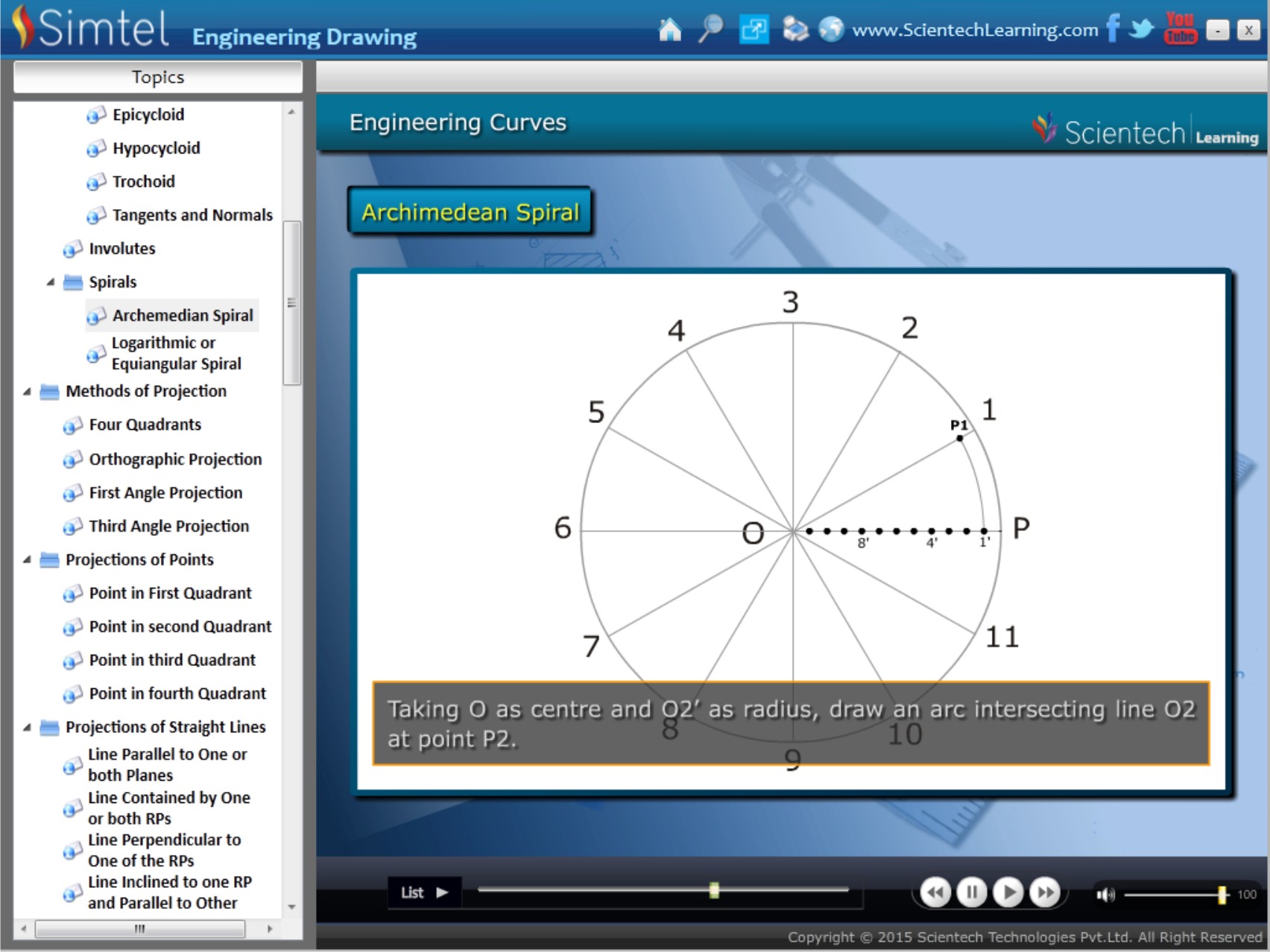
Simtel Engineering Drawing Software covers all the essential topics of engineering drawing. This software for engineering drawing is accommodated with three dimensional animations which help students to visualize the objects in the positions asked in the questions. Drawings are presented in the correct sequence with clear sketches and step-by-step instructions to help learners understand the drawing process. This engineering drawing application can be used as a teaching and training tool and is beneficial for students and teachers both. Among the most comprehensive engineering drawing applications, it helps learners understand engineering graphics concepts effectively.
Features
- Scales
- Conic Sections
- Cycloidal Curves
- Methods of Projection
- Projections of Points
- Projections of Straight Lines
- Projections of Planes
- Projections of Solids
- Sections of Solids
- Development of Surfaces
- Intersection of Surfaces
Applications of Simtel Engineering Drawing Software
Simtel is a comprehensive engineering drawing software designed to simplify the teaching and learning of engineering graphics concepts. This advanced engineering drawing application combines theoretical concepts with interactive visualizations, making it an effective learning tool for technical education and professional training.
This software for engineering drawing can be used in:
- Engineering colleges and universities
- Polytechnic institutes
- Technical training centers
- Mechanical engineering laboratories
- Civil engineering drawing classes
- Faculty training and demonstration sessions
- Engineering graphics and drafting laboratories
- Skill development and vocational training programs
Benefits
- Interactive learning through realistic 3D animations and visual demonstrations
- Complete coverage of fundamental and advanced engineering drawing concepts
- Ideal software for engineering drawing education, training, and skill development
- Enhances spatial visualization, drafting accuracy, and problem-solving skills
- Supports better understanding of projections, sections, developments, and intersections
- Suitable for students, teachers, trainers, and educational institutions
- Improves classroom engagement through animated and practical learning methods
- Provides a systematic approach to mastering various engineering drawing applications
- Helps bridge the gap between theoretical knowledge and practical implementation
- Enables self-paced learning and effective concept retention
Why Choose Simtel Engineering Drawing Software?
Simtel is a comprehensive engineering drawing software designed to help students, educators, and engineering professionals understand complex drafting concepts through interactive learning. As a software for engineering drawing, it combines theoretical concepts with three-dimensional visualizations, making technical drawing easier to understand and apply.
The engineering drawing application provides step-by-step demonstrations of drawing procedures, helping learners develop strong visualization and drafting skills. Whether used in classrooms, laboratories, or training centers, this engineering drawing software enhances learning outcomes through practical and engaging content.
FAQS
1. What is engineering drawing software?
Engineering drawing software is a digital learning and design tool that helps students and professionals understand technical drawing concepts such as projections, sections, scales, and development of surfaces. Simtel Engineering Drawing Software enhances learning through interactive 3D animations and step-by-step drawing procedures.
2. Who can use Simtel Engineering Drawing Software?
Simtel Engineering Drawing Software is designed for engineering students, faculty members, technical trainers, polytechnic institutes, and engineering colleges. It supports both classroom teaching and self-paced learning.
3. What topics are covered in the Simtel engineering drawing application?
The software covers key engineering drawing topics including scales, conic sections, cycloidal curves, projections of points, lines, planes and solids, sections of solids, development of surfaces, and intersection of surfaces.
4. How does this software for engineering drawing improve learning outcomes?
The software uses 3D visualizations, animated demonstrations, and structured learning modules to improve spatial visualization, drafting accuracy, and conceptual understanding of engineering drawing principles.
5. What are the main applications of engineering drawing software in technical education?
Engineering drawing applications are widely used in engineering colleges, polytechnic institutes, technical training centers, mechanical engineering laboratories, and civil engineering drawing classes to support practical and theoretical learning.